Events & BEOs
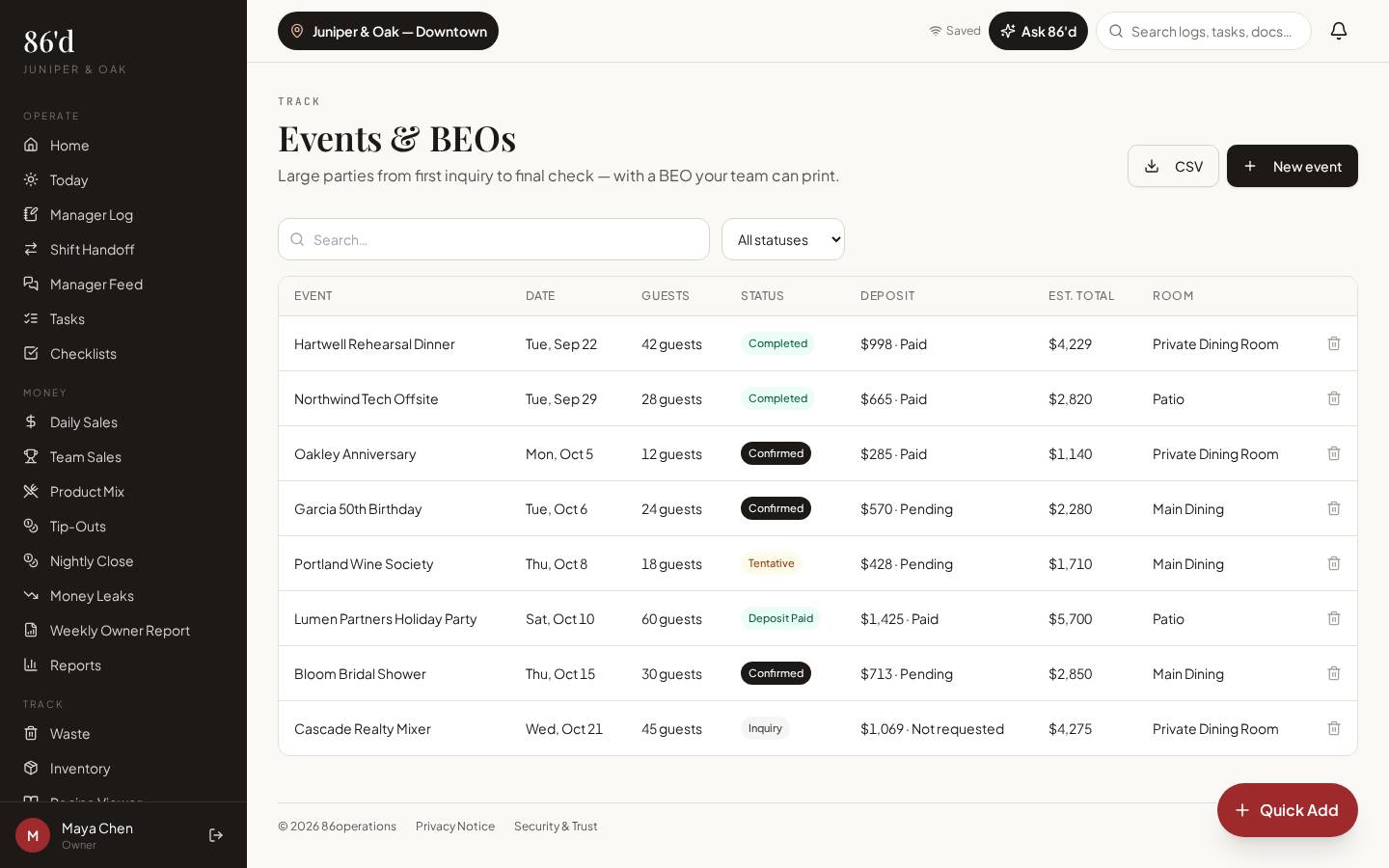
Track large parties from inquiry to final check: event details, guest count, room, menu, timeline, deposits and status. Revisions are kept, and the BEO prints cleanly for the kitchen and floor.
Included in every plan.
- Event coordinators
- General managers
- Chefs planning prep
Event details live in email threads, and the kitchen works from an outdated version.
One current BEO everyone can read, with deposits and changes on the record.
What’s included
Events list
Upcoming events with status, room, guest count and deposit status.
BEO detail
Menu, timeline, contacts and notes.
Deposits & revisions
Record deposits and keep revision history.
Print
A printable BEO for the team.
Walkthrough
- 1Open Events / BEOs → New event.
- 2Add date, times, guest count, room and contact.
- 3Build the menu and timeline; record the deposit.
- 4Print the BEO for the pre-shift meeting; update it as details change.
What you need
- Event details and menu
- Deposit amounts
- None required
- Event access via the BEO module
What it produces
- Printable BEOs
- Upcoming events on Today
How it connects
- Daily tasks & communication
Upcoming events appear on Today
- AI insights & Ask 86’d
Events in the next 14 days are part of the AI context
A rehearsal dinner grows from 40 to 52 guests two days out. The coordinator updates the BEO; the chef sees the new count and the revision note before ordering.
Illustrative only—not a customer result.
Questions
Can I take event payments in 86’d?
No. 86’d records deposits you’ve taken; payment processing stays with your POS or payment provider.
Related
Daily tasks & communication
Manager log, shift handoff, manager feed, tasks, checklists, incidents, inbox and documents.
Read moreSales & reporting
See sales, labor, discounts and open issues for each location, compared with your own targets.
Read moreLast reviewed 2026-10-04. All guides
Know what’s happening in your restaurant—and what needs attention.
Start a 14-day free trial—no card required—or talk with us about your restaurant.