Daily tasks & communication
The daily operating record of the restaurant. Managers write the log and hand off the shift, the feed keeps issues on the record, tasks and checklists show what’s done, incidents and maintenance are tracked to resolution, and the management inbox holds employee messages.
Included in every plan.
- General and assistant managers
- Department managers (kitchen, bar)
- Owners who want to stay informed without texting
Information disappears between shifts—an 86’d item, a broken cooler, a guest complaint—and the next manager finds out the hard way.
Every shift starts with what the last one learned, and owners can see what’s open without asking.
What’s included
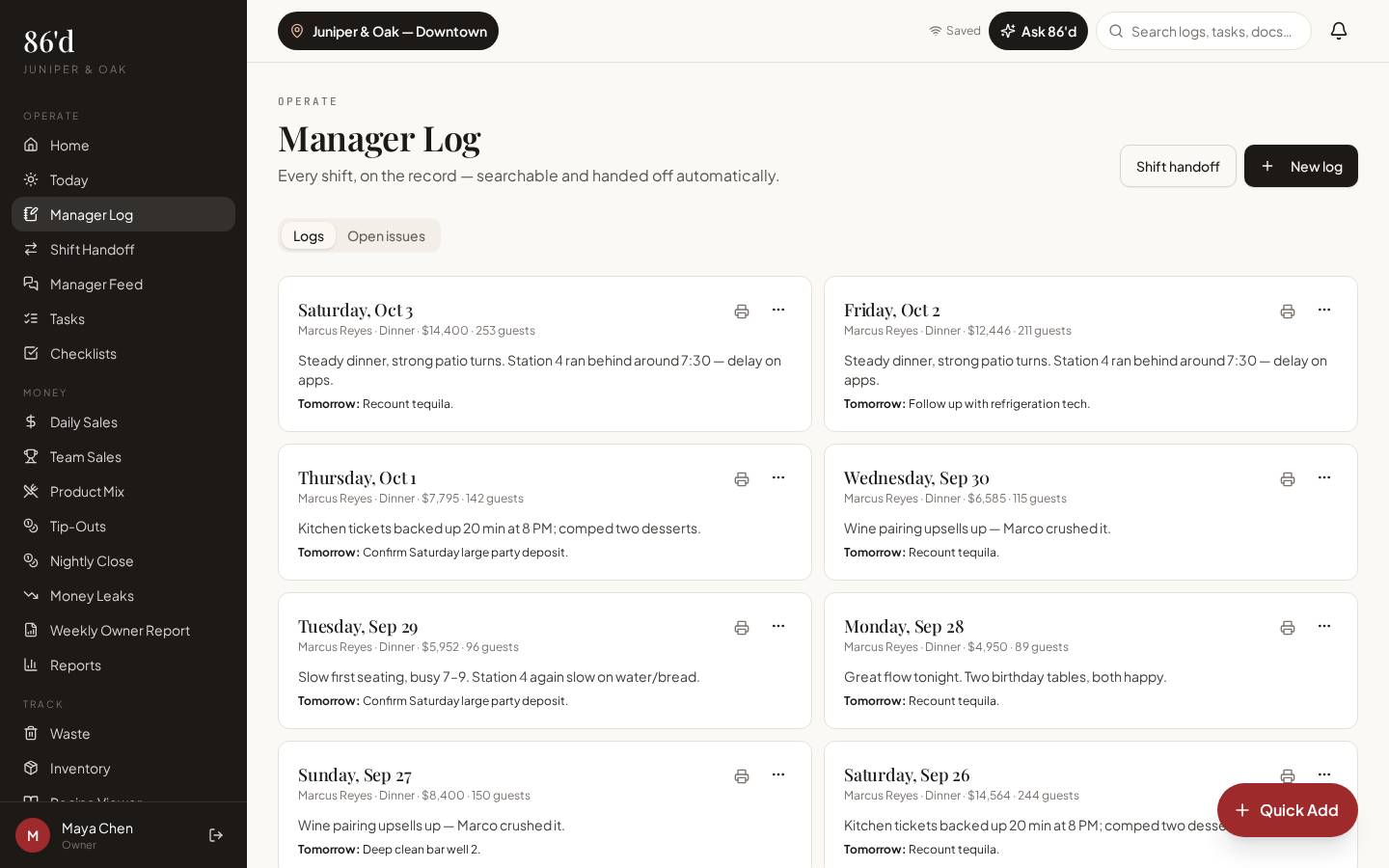
Manager Log
Per-shift notes on service, kitchen, bar, staffing, wins and tomorrow—with the night’s numbers.
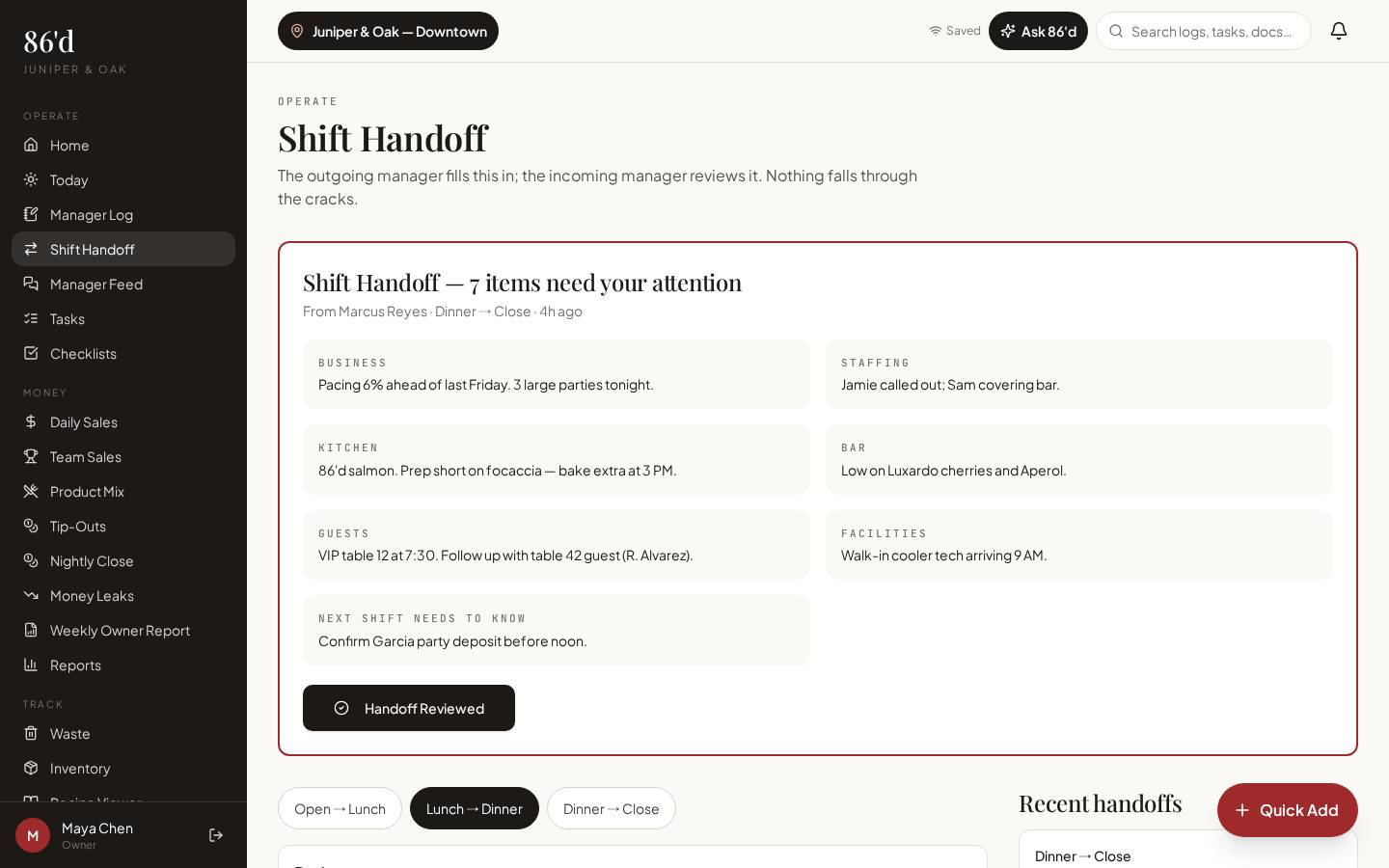
Shift Handoff
A structured hand-off to the next manager, highlighting items that need attention.
Manager Feed
A shared feed of updates and issues so nothing lives only in a group text.
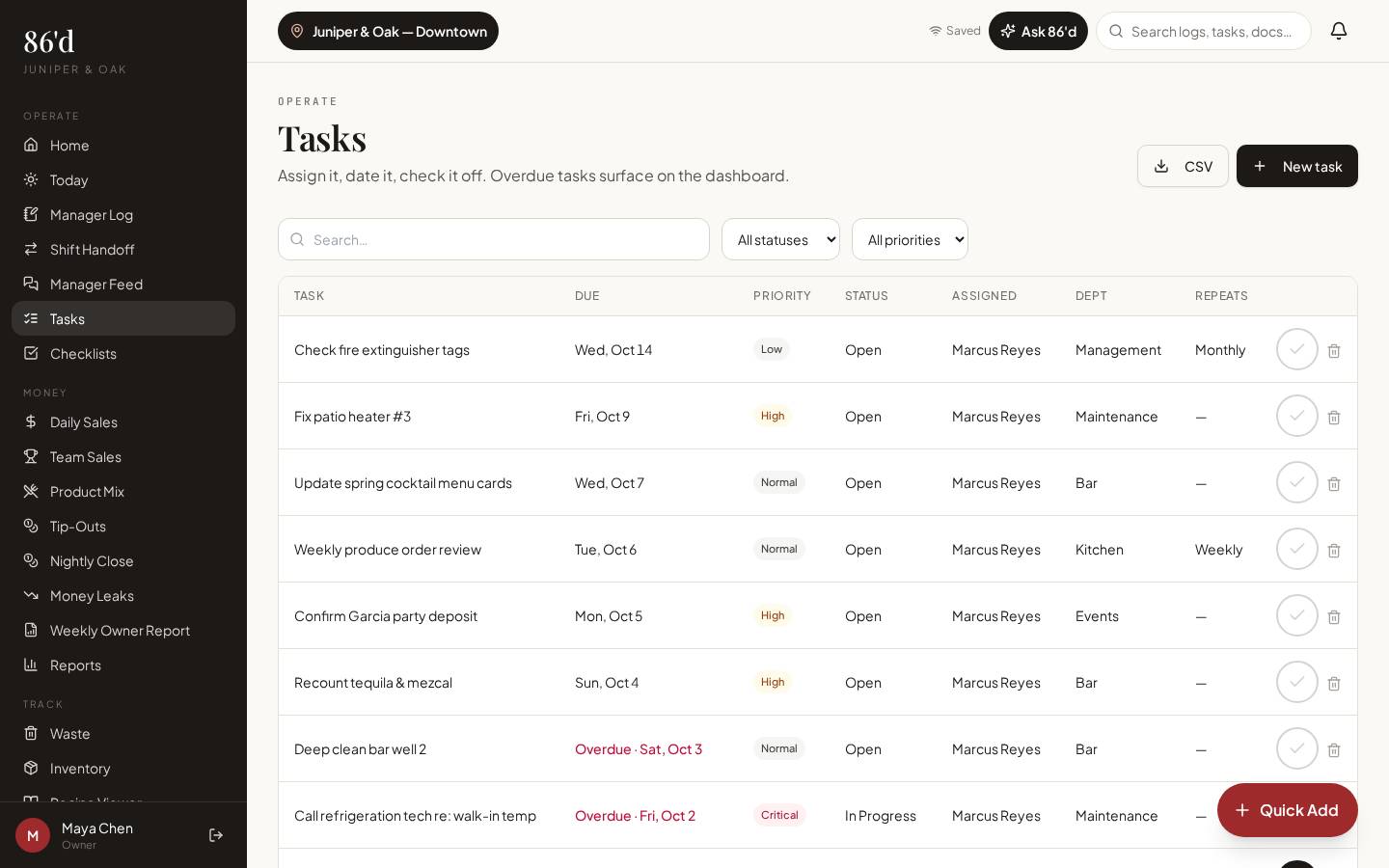
Tasks
Assign with due dates, priority and department; track status.
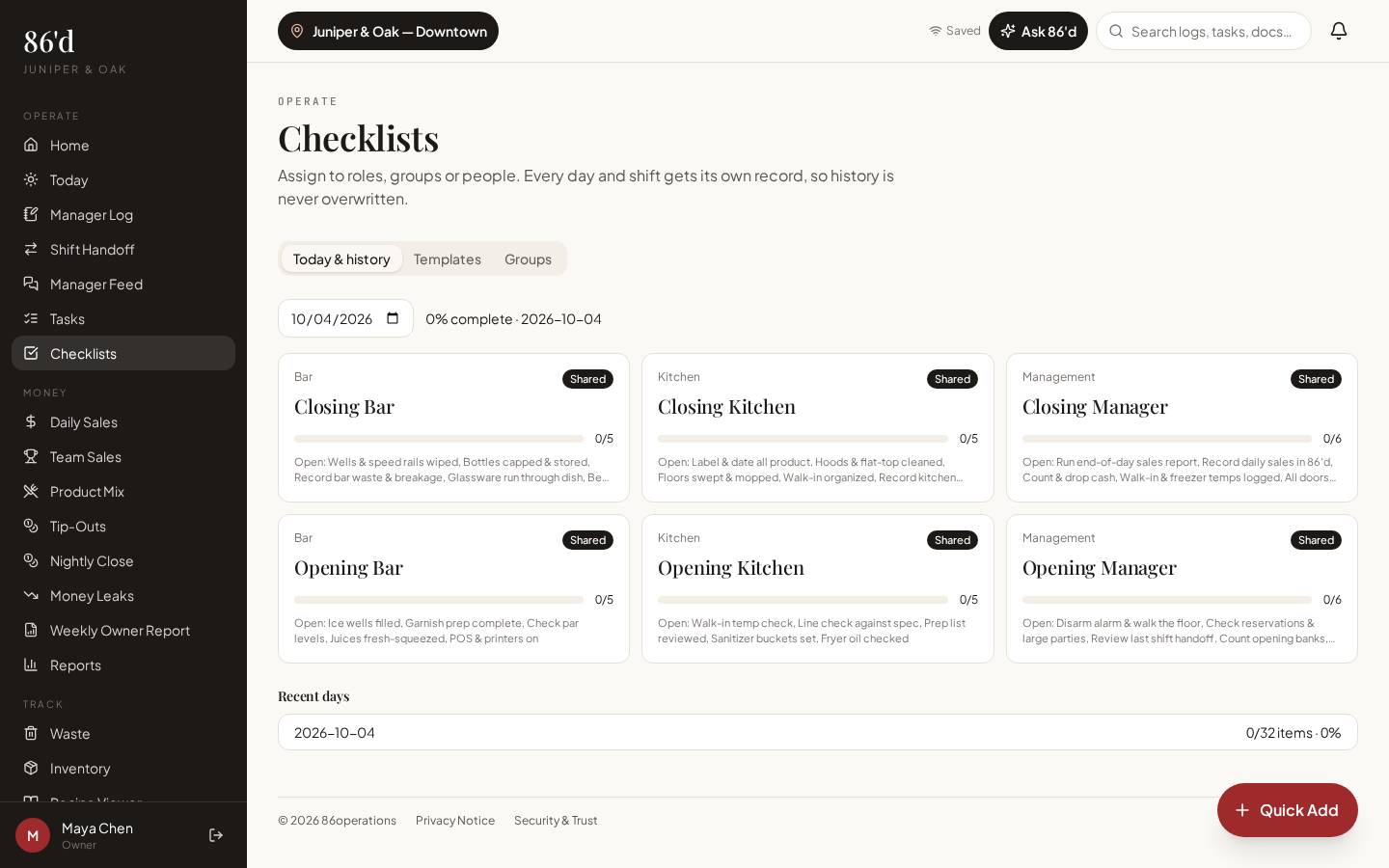
Checklists
Opening, closing and side-work lists assigned to roles, groups or people. Each day and shift gets its own record.
Incidents, maintenance & guest issues
Record what happened, attach photos and track to resolution.
Management Inbox
Messages from employees in one place for managers with inbox access.
Documents
Store menus, SOPs, training guides and policies by category.
Walkthrough
- 1Open Manager Log and start tonight’s entry; add notes per area and the night’s numbers.
- 2Before you leave, open Shift Handoff and send the next manager what they need to know.
- 3Create tasks from anything that needs follow-up and assign an owner and due date.
- 4Set up opening and closing checklists and assign them to roles.
- 5Check Today each morning for overdue tasks, open maintenance and upcoming events.
What you need
- Manager notes
- Tasks and checklist templates
- Photos for incidents and maintenance
- None required
- Department managers can be limited to their modules (e.g., bar: log, feed, tasks, checklists, waste, inventory)
What it produces
- A searchable shift history
- Task and checklist completion records
- Open-issue lists on Today
How it connects
- AI insights & Ask 86’d
Ask 86’d reads recent logs, handoffs, open tasks and maintenance
- Sales & reporting
Log notes explain the numbers on the dashboard
The closing manager logs that the walk-in read 43°F and creates a maintenance item. The opening manager sees it on Today, calls the repair company and closes the item with a note.
Illustrative only—not a customer result.
Questions
Can kitchen and bar leads use it without seeing financials?
Yes. Department managers get only the modules you assign, and financial data is hidden unless you grant it.
Does checklist history get overwritten?
No. Each day and shift gets its own record.
Related
Sales & reporting
See sales, labor, discounts and open issues for each location, compared with your own targets.
Read moreAI insights & Ask 86’d
Questions answered from your own restaurant records, with sources, periods and suggested next steps for a manager to review.
Read moreEmployee app
Staff see their own tip statements, tasks, checklists, published schedule, growth and messages on their phone.
Read moreA 20-minute weekly review of comps, voids and discounts
Read moreShift handoffs that don’t lose information
Read moreLast reviewed 2026-10-04. All guides
Know what’s happening in your restaurant—and what needs attention.
Start a 14-day free trial—no card required—or talk with us about your restaurant.