Sales & reporting
86’d gives owners one place to read the day: a Today page with what needs attention, a dashboard of sales and labor against the targets you set, daily sales records, server-level sales, product mix, a Money Leaks view of comps, voids and discounts, a printable Weekly Owner Report and exportable reports. Every figure comes from the sales you enter, scan or import—86’d shows the date range and source next to it.
Daily sales & basic reporting in every plan. Comp/void/discount analysis and the Weekly Owner Report are in Operations Pro; All Locations is in Group.
- Owners and multi-location operators
- General and assistant managers
- Bookkeepers who need clean exports
Sales numbers live in the POS, labor in another system and the story of the night in a manager’s head. By the time anyone puts them together, the week is over.
One view of how each location performed against its own targets, with the reasons managers recorded and the items that need a decision.
What’s included
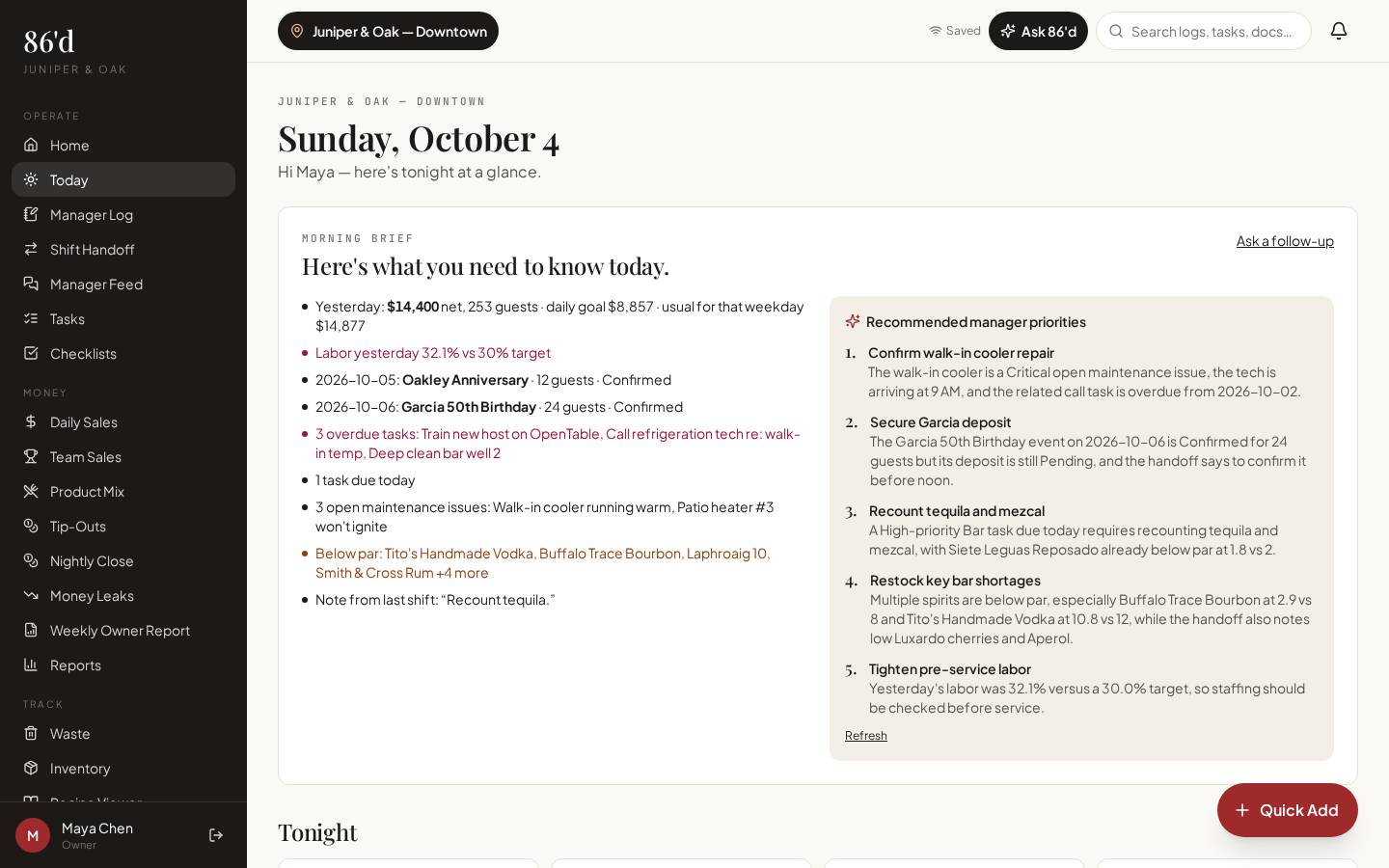
Today & Morning Brief
What’s due, pinned items, 86’d items, upcoming events and a short list of priorities drawn from your records.
Owner dashboard
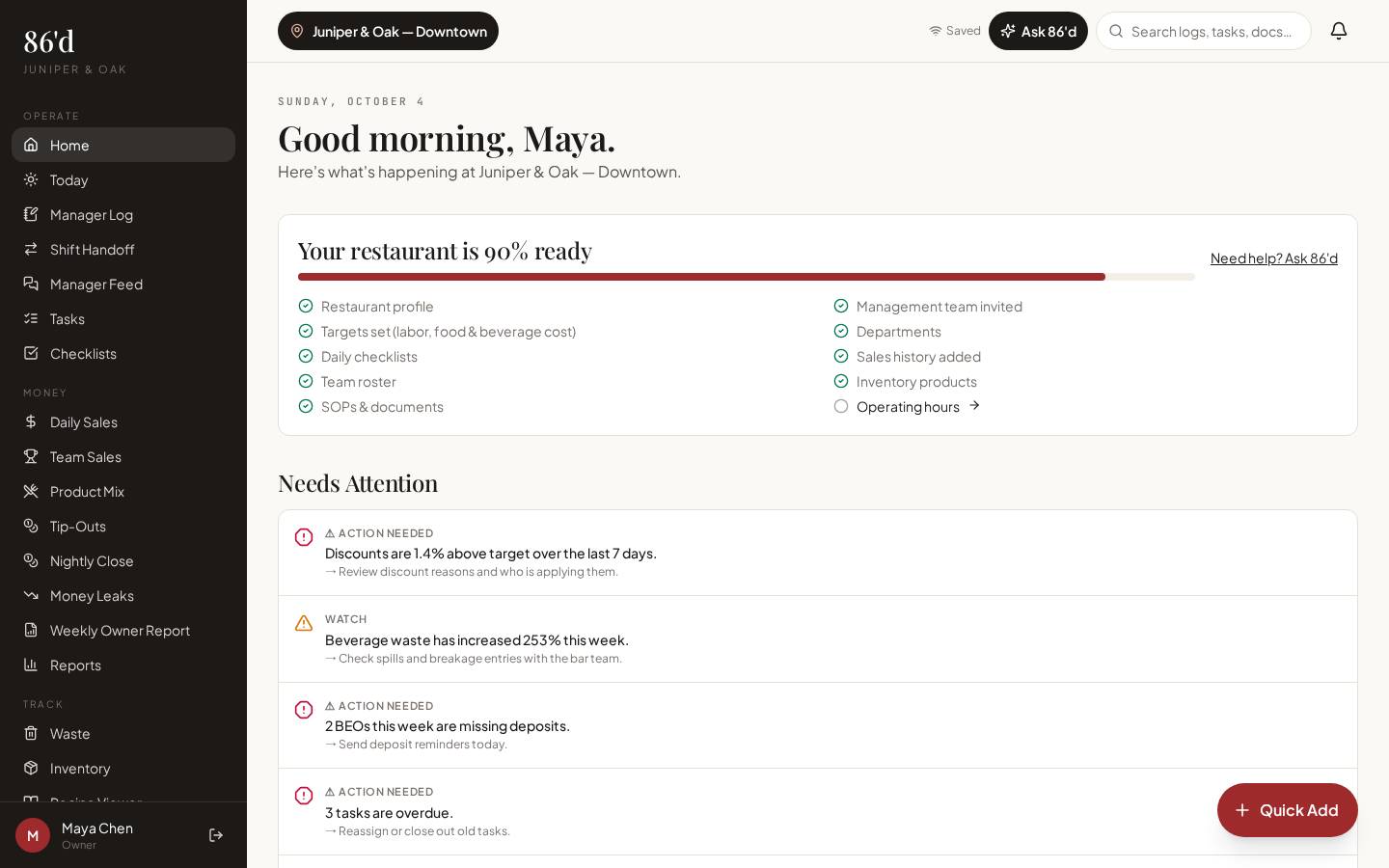
Net sales, guests, average check, labor and discounts for the selected period, compared with your targets.
Daily Sales
Enter a day’s numbers by hand, scan printed POS report pages (you confirm every value), or import a CSV export. Export to CSV, Excel or PDF.
Team Sales
Sales by server and service period, with category mix—used in report cards.
Product Mix
Import item-level sales (CSV) to see what sold; with recipe costs it shows estimated item profit.
Money Leaks
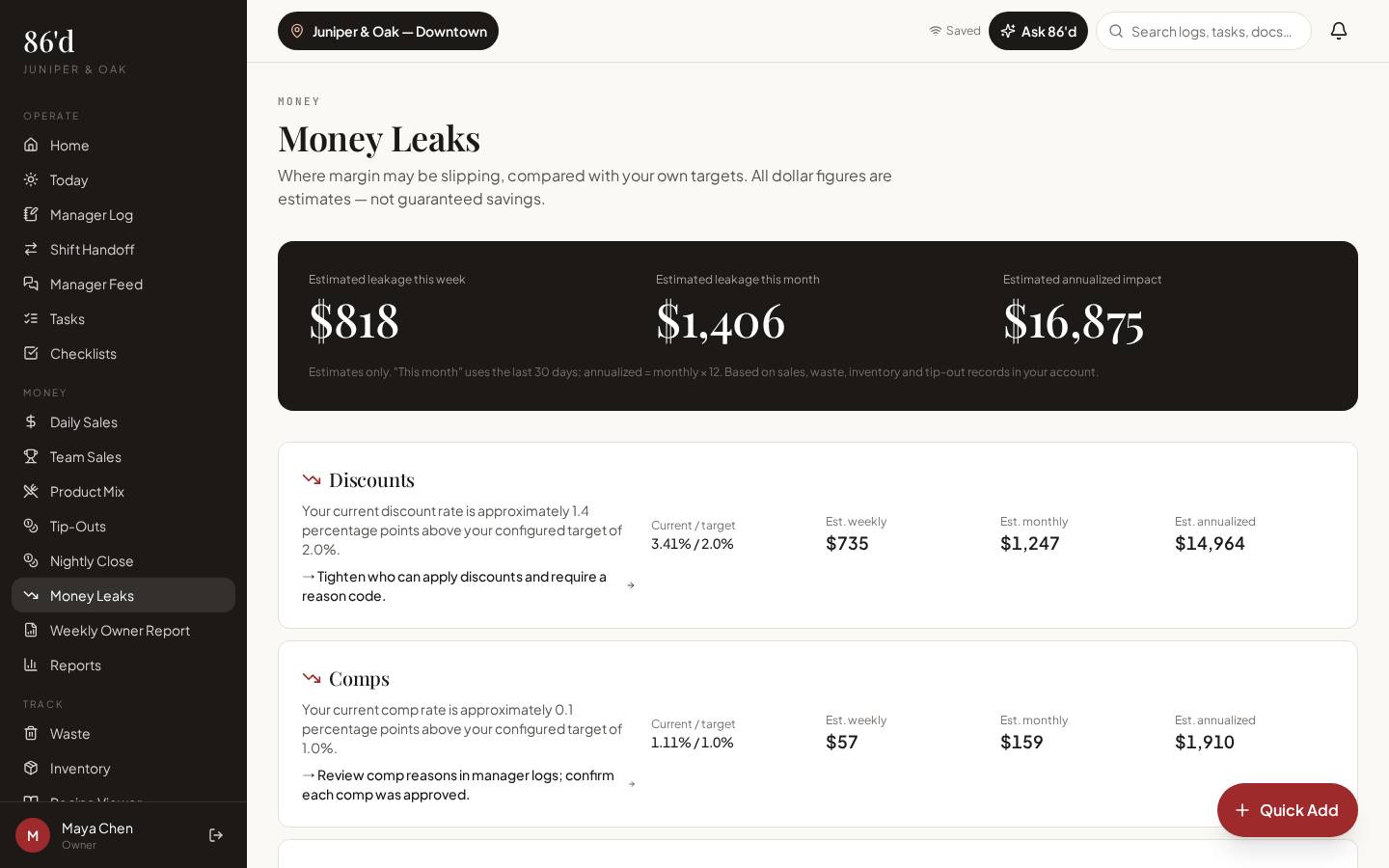
Comps, voids, discounts and waste compared with your targets. Dollar figures are labeled as estimates, not guaranteed savings.
Weekly Owner Report
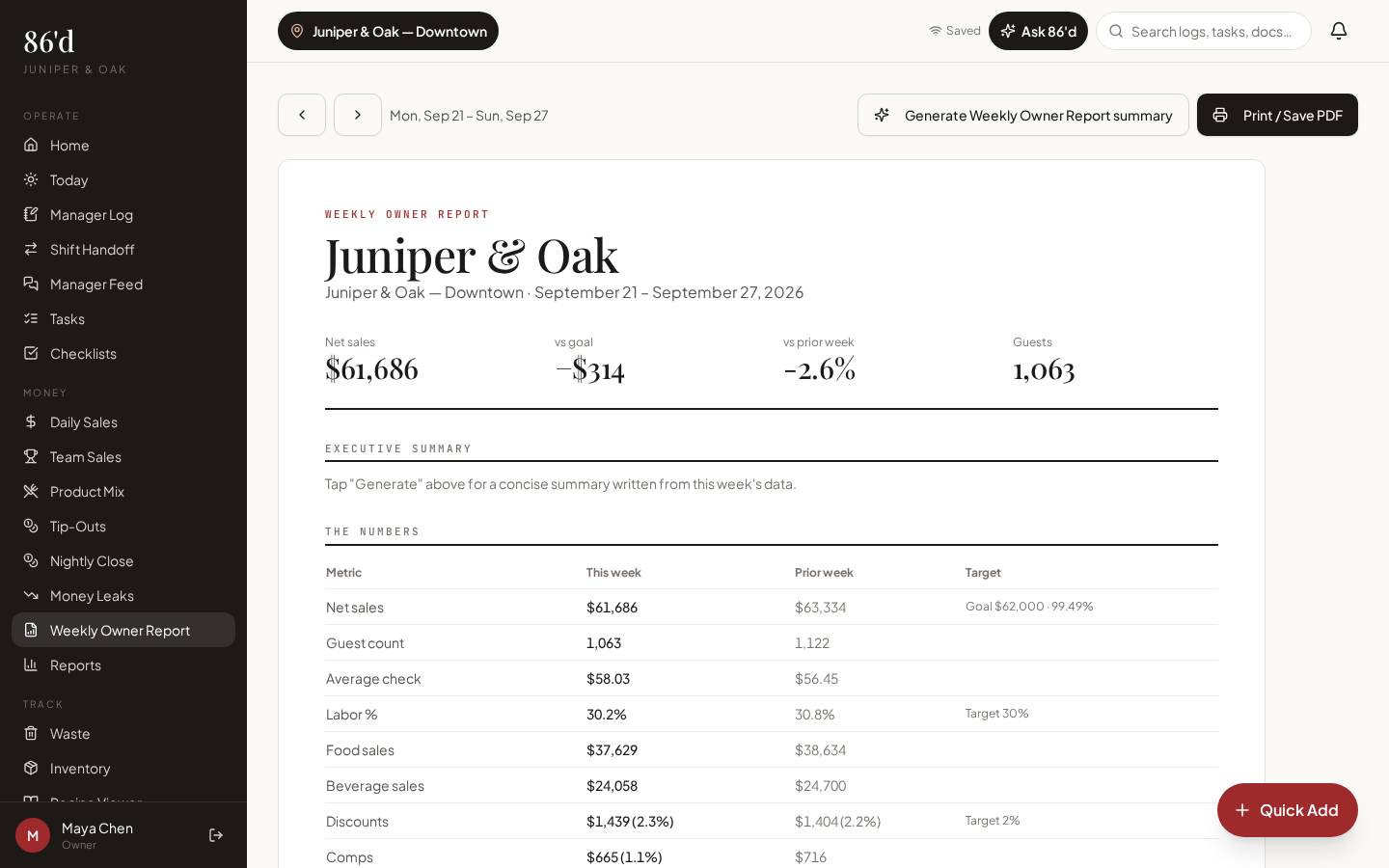
A printable one-page summary of the week for each location.
Reports
Filterable tables for sales, labor, tasks, incidents, BEOs and more, with CSV/PDF export.
All Locations
Side-by-side weekly view of every location against its own targets (Group plan).
Walkthrough
- 1Set your targets (labor %, food and beverage cost, discount limits) in Restaurant Builder.
- 2Open Daily Sales and add the night: type the totals, tap “Scan report pages” to photograph your POS summary, or import a CSV export.
- 3Review the extracted values and save. Nothing is saved until you confirm it.
- 4Open Home to see the period against your targets, then Money Leaks for comps, voids and discounts.
- 5On Monday, open Weekly Owner Report and print or share it with your partners.
What you need
- Daily sales totals (manual, scanned report or CSV)
- Optional item-level product mix CSV
- Targets from Restaurant Builder
- Toast connection: Planned — live verification pending (use Toast CSV exports today)
- Financial figures are visible only to users with financial access (owner, GM, or anyone you grant it to)
What it produces
- Dashboard KPIs vs. targets
- Money Leaks estimates
- Weekly Owner Report
- CSV, Excel and PDF exports
How it connects
- Employees, report cards & tip-outs
Server sales feed report cards and nightly close
- Recipes, costing & waste
Product mix plus recipe costs show item margins
- AI insights & Ask 86’d
Ask 86’d reads the last 8 weeks of daily sales when you have financial access
Net sales come in under the weekly pattern. The dashboard shows guests were down while average check held steady, and the manager log for that night notes a street closure. The owner reads the reason in one place instead of calling the manager.
Illustrative only—not a customer result.
Questions
Do I need to connect my POS?
No. You can type daily totals, scan printed report pages or import CSV exports. A direct Toast connection is Planned and not available yet — it has not been verified with a live Toast account.
Are the Money Leaks numbers savings?
No. They estimate how far you are from your own targets. They show where to look, not a guaranteed result.
Can I export for my accountant?
Yes. Daily Sales and Reports export to CSV, and many views export to Excel or PDF.
Related
AI insights & Ask 86’d
Questions answered from your own restaurant records, with sources, periods and suggested next steps for a manager to review.
Read moreEmployees, report cards & tip-outs
Import your roster, run a four-step nightly close, publish tip-out statements and coach with report cards.
Read moreRecipes, costing & waste
Plate and pour costs from your invoice prices, cost % against target, and a waste log.
Read moreA 20-minute weekly review of comps, voids and discounts
Read moreLast reviewed 2026-10-04. All guides
Know what’s happening in your restaurant—and what needs attention.
Start a 14-day free trial—no card required—or talk with us about your restaurant.