Integrations & data imports
86’d works with the data you already have. Most restaurants start with manual entry and file uploads. Live connections are optional and depend on the provider granting API access.
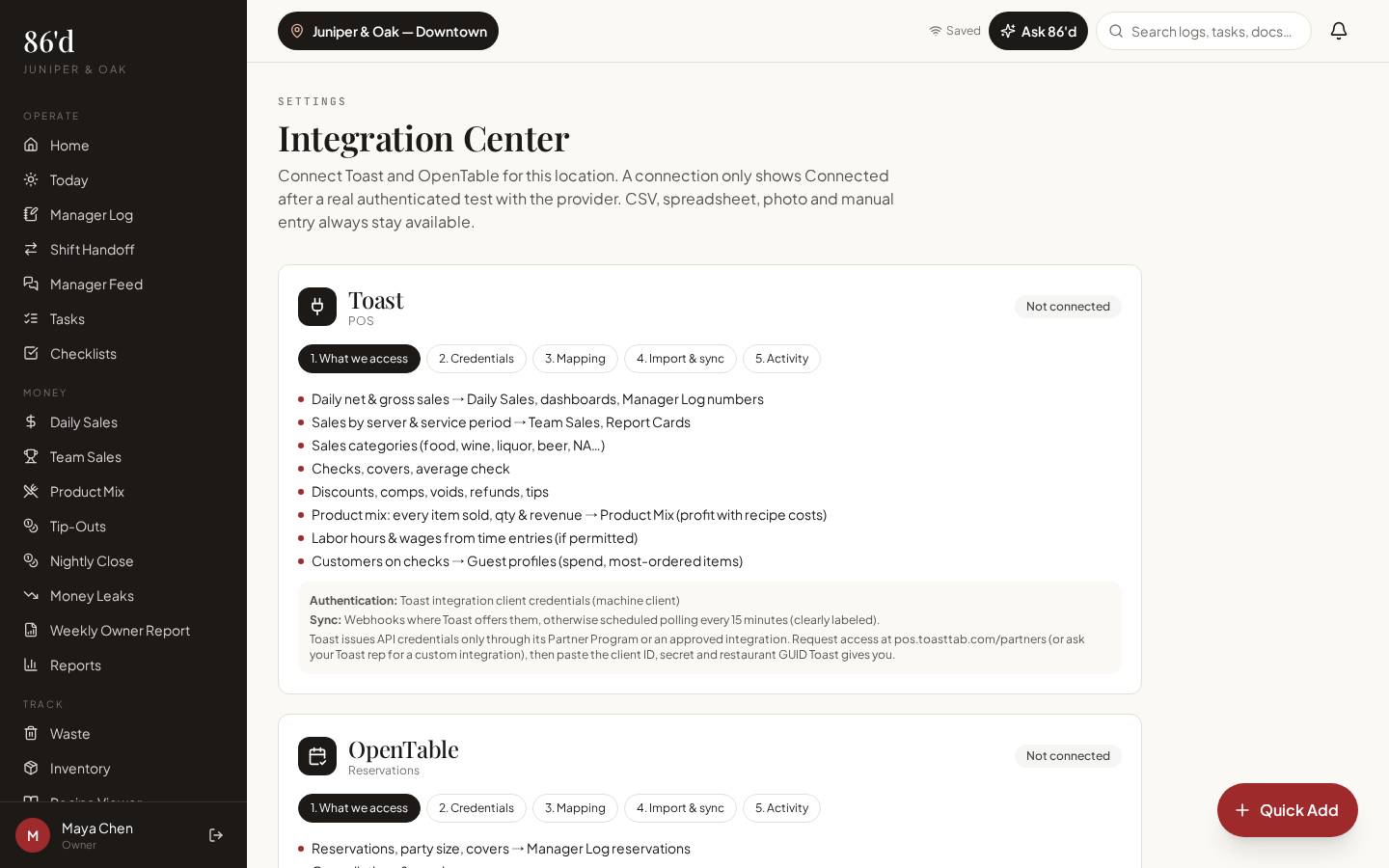
Imports per feature as listed. Toast connection: Planned — live verification pending.
- Owners deciding how to set up
- Managers responsible for nightly data
Software that only works after a long integration project never gets used.
Start the same day with entry and uploads; connect live sources when they’re available.
What’s included
Manual entry
Daily sales, logs, tasks, BEOs, waste and counts can all be entered by hand.
File uploads
Employee roster (.csv/.xlsx), sales CSV exports (Toast, Square, Clover, Lightspeed or generic), product mix (.csv), products (.csv).
Scanned reports & invoices
Photograph POS report pages or invoices; 86’d extracts the values and you confirm them.
Toast connection (Planned)
BetaNot available yet. A connection has been built and tested only against recorded sample data; it has not been verified with a live Toast account, which requires Toast partner approval. No data coverage or refresh interval is promised until it is.
Exports
CSV, Excel and PDF exports from sales, reports and tip-outs.
Walkthrough
- 1Pick your starting method for each area (entry, upload or scan).
- 2For files, upload and map columns once—the mapping is saved.
- 3Using Toast today: export the reports from Toast (sales summary, sales by employee, product mix) as CSV and upload them under Sales → Import, Team Sales or Product Mix. The direct Toast connection is Planned and can't be used until Toast grants partner access and a live sync has been verified.
- 4Check Unlinked Data to match POS employee IDs to people.
What you need
- Your existing exports and reports
- Toast: Planned — use Toast CSV exports today
- Only the owner or GM can manage integrations; credentials are encrypted
What it produces
- Records in each module, labeled with their source
How it connects
- Sales & reporting
Imported sales fill the dashboard
- Employees, report cards & tip-outs
Imported rosters and server sales feed nightly close
A restaurant on a POS without an API scans the end-of-day report each night. 86’d extracts net sales, guests and discounts; the manager confirms and saves in under a minute.
Illustrative only—not a customer result.
Questions
Which POS systems are supported?
Any POS that exports CSV or prints a report can be used through import or scanning. A direct Toast connection is Planned; it is not available until it has been verified with a live Toast account.
Is OpenTable supported?
Not yet. OpenTable only grants API access to approved partners; the connection is listed as awaiting provider approval.
Is data real-time?
Entered and imported data updates when you add it. There is no live POS sync today.
Related
Sales & reporting
See sales, labor, discounts and open issues for each location, compared with your own targets.
Read moreEmployees, report cards & tip-outs
Import your roster, run a four-step nightly close, publish tip-out statements and coach with report cards.
Read moreSetup, permissions & security
Restaurant Builder, team invites, individual permissions and security controls.
Read moreChoosing restaurant software: what to compare beyond the monthly price
Read moreLast reviewed 2026-10-04. All guides
Know what’s happening in your restaurant—and what needs attention.
Start a 14-day free trial—no card required—or talk with us about your restaurant.