Setup, permissions & security
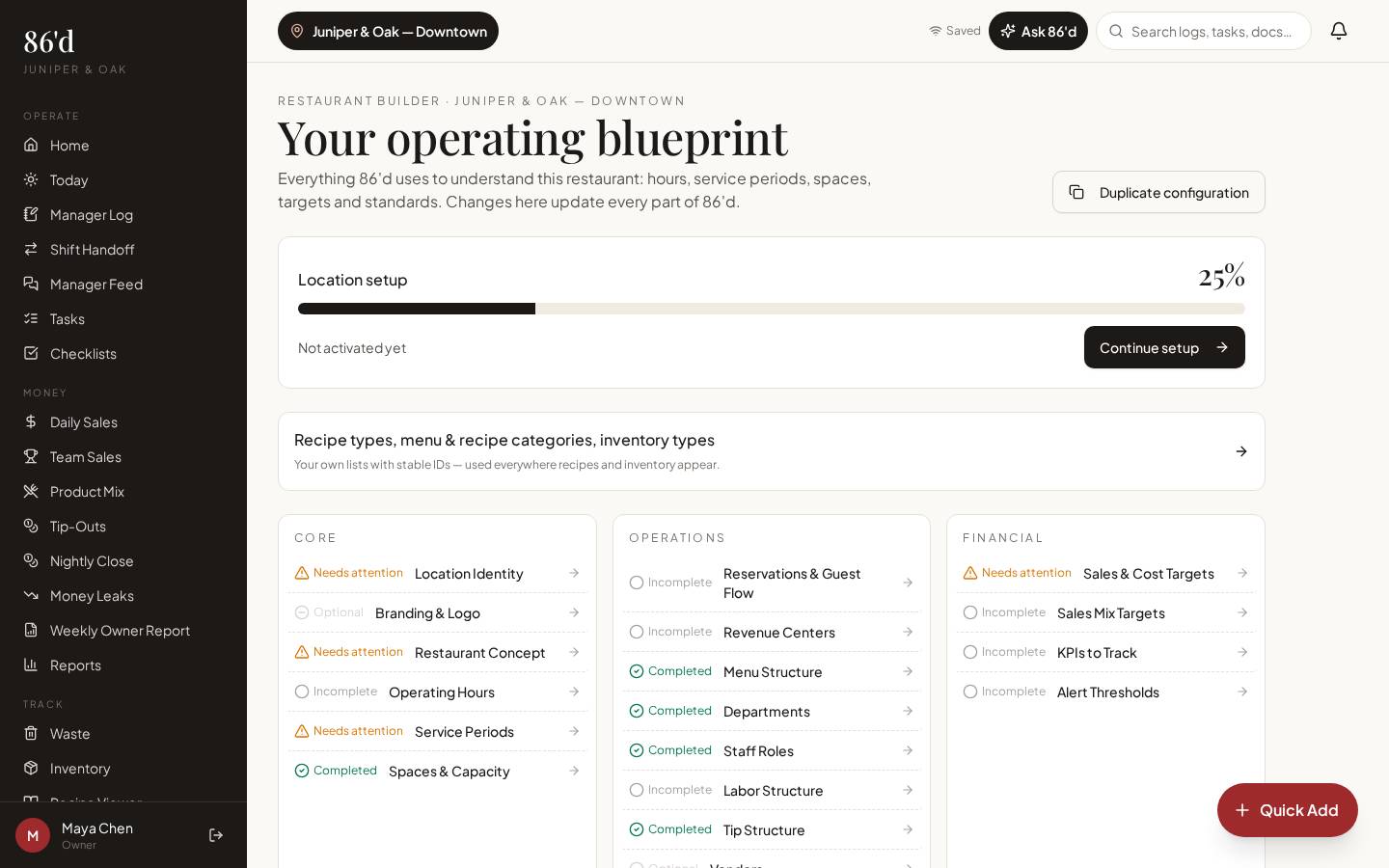
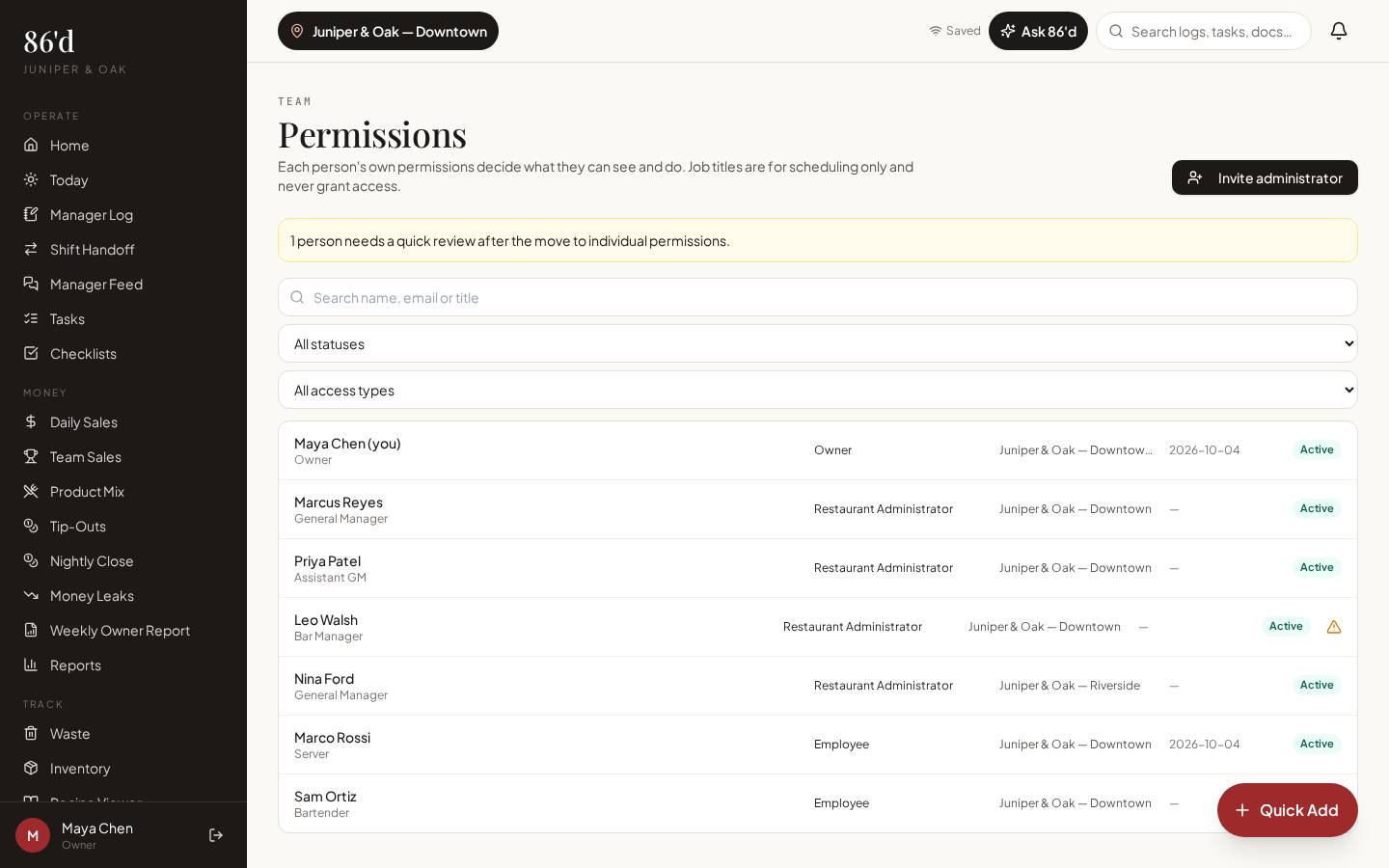
Restaurant Builder records how your restaurant runs—locations, departments, hours, sales categories and targets—so reports and AI use the right context. Invite managers by link, set each person’s access, and use the Security & Privacy center for MFA, sessions and support access.
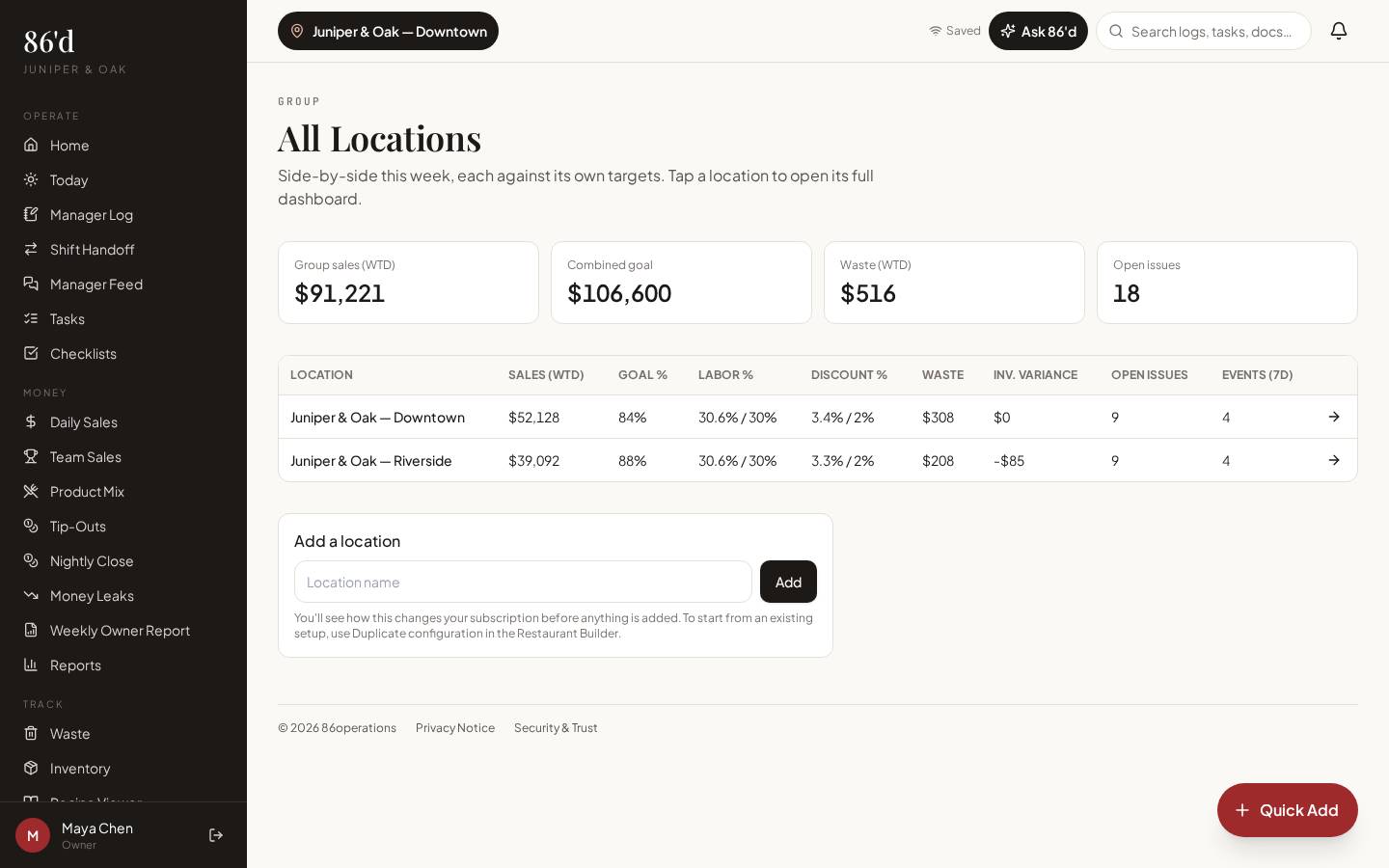
Included in every plan. Centralized multi-location permissions in Group.
- Owners
- General managers
Everyone shares one login, or nobody knows what each person can see.
Each person has their own login and exactly the access they need.
What’s included
Restaurant Builder
Concept, departments, hours, sales categories and targets.
Team Members
Invite team members by link — employee portal or management account, with their role.
Permissions
Individual access per module, including financial data, tips, report cards and inbox.
MFA & sessions
MFA required for owners and financial/admin users (passkeys or authenticator app; no SMS). Session timeouts and remote sign-out.
Support access
No standing support access—support needs your approval, is view-only by default and you can end it.
Tenant isolation
Each restaurant’s data is separate and checked on every request.
Walkthrough
- 1Open Restaurant Builder and complete each section.
- 2Open Team Members and create invite links for your team members.
- 3Open Permissions to review each person’s access.
- 4Set up MFA in Security & Privacy.
What you need
- Restaurant details and targets
- None
- Owner (and GM where allowed)
What it produces
- Blueprint used by reports and AI
- Access history
How it connects
- AI insights & Ask 86’d
Builder profile and targets inform AI answers
- Sales & reporting
Targets drive dashboard comparisons
Questions
Is 86’d SOC 2 certified?
No. 86’d does not currently hold security certifications or a third-party penetration test. See the Security & Trust page for the controls that are in place.
Can I limit a manager to one location?
Yes. Managers can be assigned to specific locations, and financial access is separate.
Related
Integrations & data imports
How data gets into 86’d: manual entry, file uploads, scanned reports, and live connections.
Read moreEmployees, report cards & tip-outs
Import your roster, run a four-step nightly close, publish tip-out statements and coach with report cards.
Read moreHow 86’d’s AI suggestions use your restaurant data—and where they stop
Read moreChoosing restaurant software: what to compare beyond the monthly price
Read moreLast reviewed 2026-10-04. All guides
Know what’s happening in your restaurant—and what needs attention.
Start a 14-day free trial—no card required—or talk with us about your restaurant.