Inventory & invoices
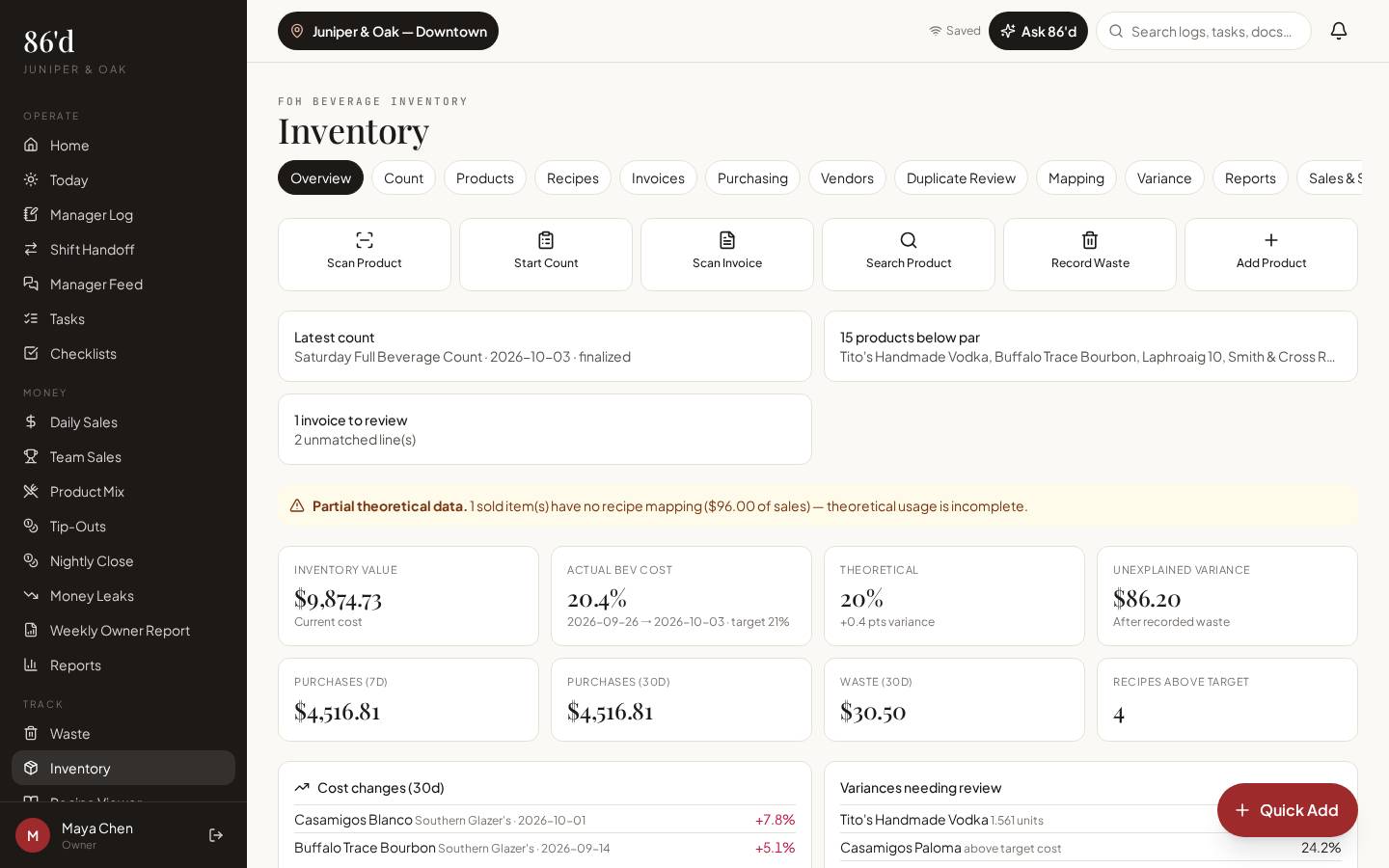
Count by storage area with full or partial counts, track par levels, and capture invoices by photo or PDF. 86’d reads the invoice, you verify every line, and nothing reaches inventory or reports until a manager approves it. Product mapping, duplicate review and variance keep costs honest.
Operations Pro and Group.
- Kitchen and bar leaders
- Owners watching food and beverage cost
- Bookkeepers matching invoices
Invoices pile up in a folder, prices change without anyone noticing, and counts happen on clipboards that never get entered.
Current prices on every product, counts that are saved and approved, and a clear view of what’s below par.
What’s included
Counts
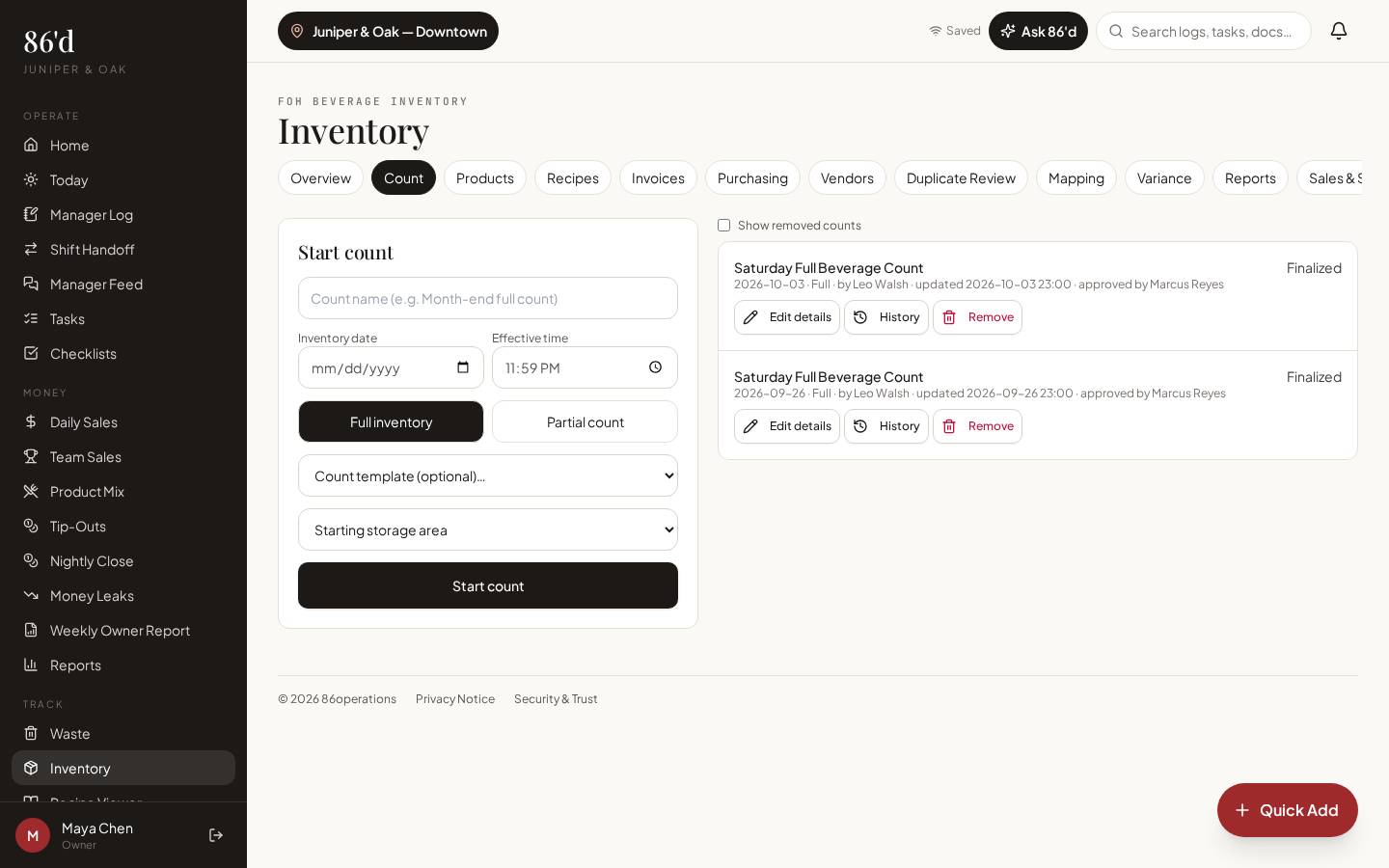
Full or partial counts by storage area, with templates, effective date/time and approval.
Products & par levels
Products with units, vendors and par; items below par surface on Today and in Ask 86’d.
Barcode scanning
Scan products while counting on a phone.
Invoice capture
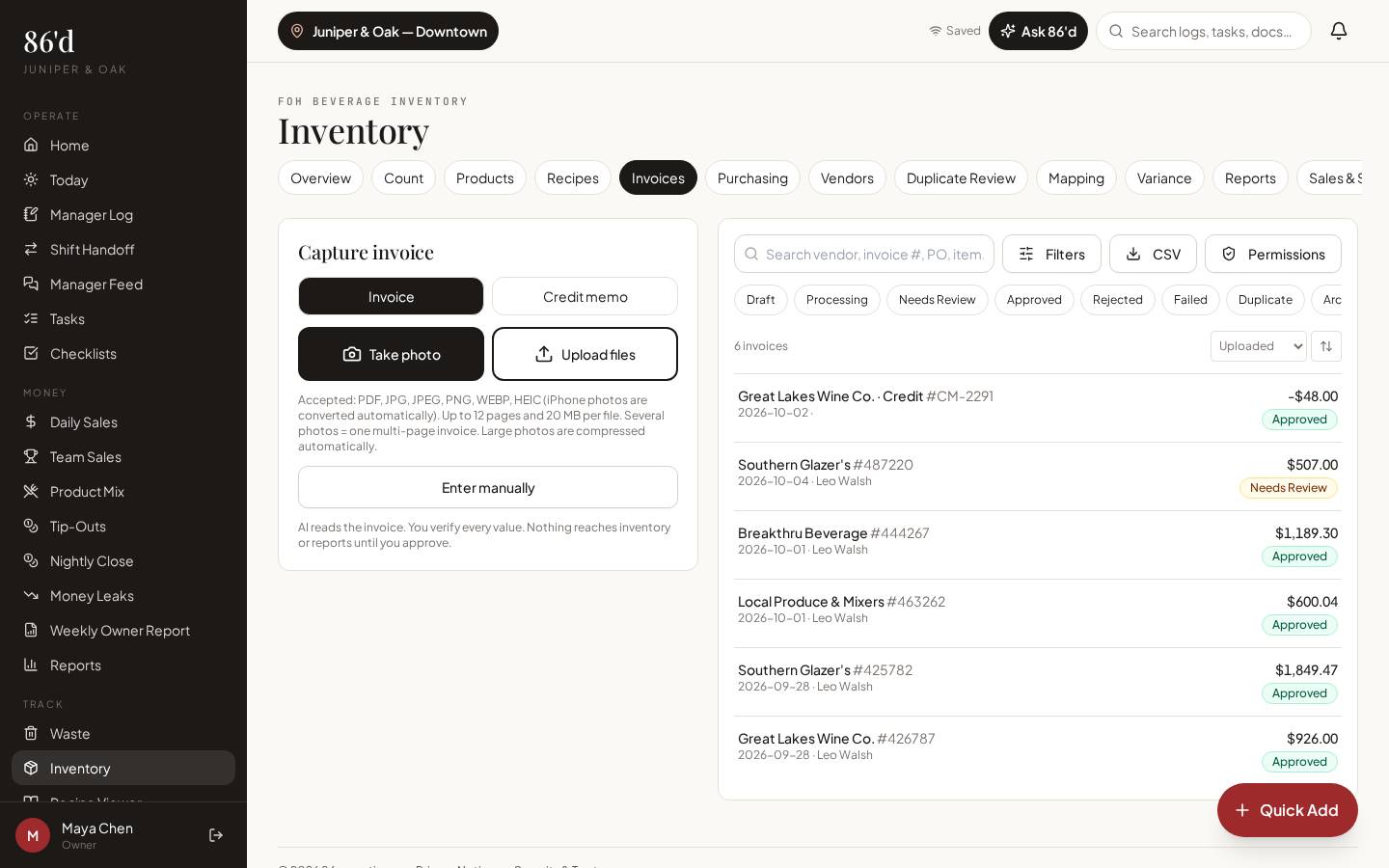
Take a photo or upload PDF/JPG/PNG/WEBP/HEIC (up to 12 pages, 20 MB per file). Credit memos too.
Review & approval
Invoices move through Needs Review → Approved. AI suggestions are never posted without your approval.
Vendors, mapping & duplicates
Map invoice lines to products once; possible duplicate invoices are flagged for review.
Variance & purchasing
Compare counts with expected usage and review purchasing by vendor.
Walkthrough
- 1Add products (or import a CSV) with units, vendor and par level.
- 2Open Inventory → Invoices, tap “Take photo” or “Upload files”.
- 3Check each extracted line—quantity, unit price, product match—and approve.
- 4Open Inventory → Count, choose full or partial, pick a storage area and count.
- 5Finalize the count; review Variance and the below-par list.
What you need
- Invoices (photo or PDF)
- Product list (manual or CSV)
- Counts
- None required
- Approving invoices and finalizing counts can be limited to specific managers
What it produces
- Approved invoice history with current product prices
- Finalized counts
- Below-par list
- Variance reports
How it connects
- Recipes, costing & waste
Approved invoice prices update recipe costs
- AI insights & Ask 86’d
Below-par items and waste totals are part of Ask 86’d’s context
A produce invoice shows limes up from the last delivery. After the manager approves the invoice, the recipe list flags the cocktails that use limes as affected by an ingredient cost increase.
Illustrative only—not a customer result.
Questions
Does the AI post invoices automatically?
No. 86’d reads the invoice and suggests values; a person reviews and approves every invoice before it affects inventory or reports.
Which file types work?
PDF, JPG, PNG, WEBP and HEIC (iPhone photos are converted). Up to 12 pages and 20 MB per file.
Does 86’d pay my vendors?
No. 86’d records and reviews invoices; bill payment stays with your accounting or AP tool.
Related
Recipes, costing & waste
Plate and pour costs from your invoice prices, cost % against target, and a waste log.
Read moreSales & reporting
See sales, labor, discounts and open issues for each location, compared with your own targets.
Read moreAI insights & Ask 86’d
Questions answered from your own restaurant records, with sources, periods and suggested next steps for a manager to review.
Read moreRecipe costing basics: from invoice price to plate cost
Read moreLast reviewed 2026-10-04. All guides
Know what’s happening in your restaurant—and what needs attention.
Start a 14-day free trial—no card required—or talk with us about your restaurant.